Introducing Material UI and MUI X v9

José Freitas
@joserodolfofreitas
Olivier Tassinari
@oliviertassinari
We are thrilled to announce the simultaneous release of Material UI v9 and of each of the MUI X v9 components.
We are realigning the major versions of the core design system and all the advanced components to provide a more cohesive, predictable development experience. This is more than a version bump; it's one step toward a more unified ecosystem for MUI products.
In v9, we focused on three concrete areas:
Better integration: No more guessing which version of MUI X works with which version of Material UI. Moving forward, both libraries will share major versioning, simplifying upgrades across the tech stack.
Expanding the portfolio: Material UI adds
NumberFieldandMenubar; MUI X adds new advanced surfaces like Scheduler and Chat in alpha.AI workflows with operational support: Data Grid AI Assistant is available, and MUI Console adds license and API key management needed to run it in production.
Table of contents
- What we released
- One MUI ecosystem, a synced major version
- Components highlights
- New MUI Console application
- "MUI Chat" renamed to "MUI Recipes"
- MUI X pricing and licensing updates
- Telemetry on commercial components
- What's next
What we released
All product announcements:
Improved design-system foundations.
MUI X Data Grid v9.0Dynamic data, in-grid charts, AI assistant.
MUI X Charts v9.0Candlestick, improved UX.
MUI X v9.0: Tree View, Date PickersVirtualization, keyboard navigation, and locale support.
MUI X Scheduler v9 alphaResource-aware calendars and timelines.
MUI X Chat v9 alphaConversational UI for LLMs with adapters.
One MUI ecosystem, a synced major version
When we shipped MUI X v6 in 2023, we decoupled MUI X's major version from Material UI, at a time when Material UI was still on v5. The goal was to give advanced components a faster, predictable release rhythm without tying every breaking change to Material UI's release schedule. We also assumed that, over time, breaking-change pressure might push the two major lines further apart.
In practice, that divergence never really increased the way we expected, while keeping independent major numbers still made upgrades, peer dependencies, and communication across the stack heavier than we liked.
So for v9, we're realigning: Material UI moves from v7 straight to v9 (there is no Material UI v8, like there is no v2), in step with MUI X v9, restoring a single shared major for the suite for the first time since that split.
With v9, we're synchronizing the major version across the stack:
- Material UI v9: the design‑system and layouts foundation.
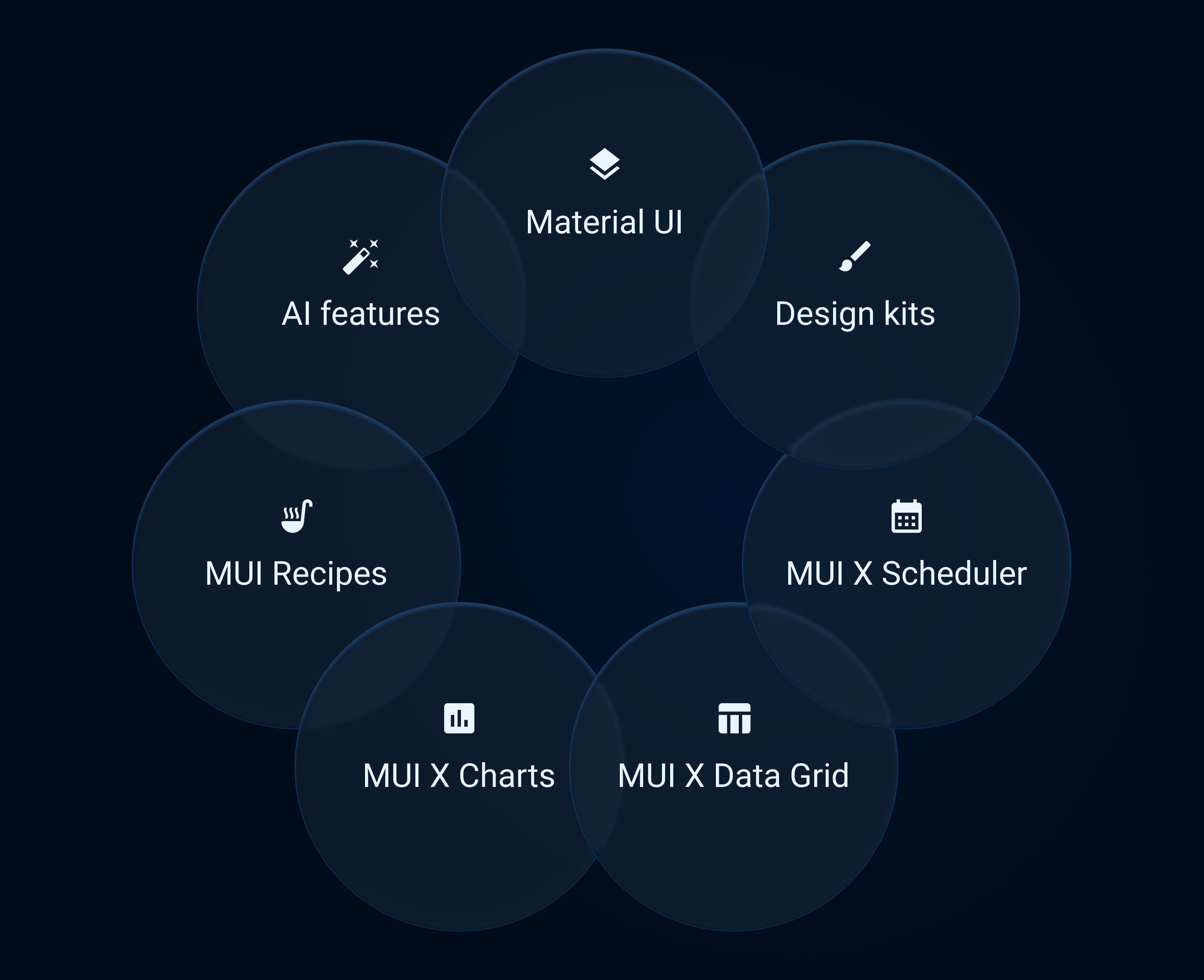
- MUI X v9: the advanced components built on top: Data Grid, Charts, Tree View, Date and Time Pickers, Scheduler, Chat, and more.
A single major version number makes it easier to:
- Stage cross‑cutting improvements, such as accessibility and keyboard navigation upgrades, across both layers at once.
- Align upgrade windows and migration guides across packages.
- Communicate compatibility, for example, "MUI X v9 is designed to pair with Material UI v9".
Components highlights
We've focused on stability, accessibility, and new building blocks across the v9 major; these bullets summarize the direction:
- Material UI: new NumberField and Menubar; keyboard and accessibility fixes; and theme updates that extend CSS variables with
color-mix()for derived colors.
See the Material UI v9 post. - Data Grid: dynamic data and lazy loading hardening; selection, header, and filter ergonomics; stable in-grid Charts integration for dashboards that mix tables and visuals.
See the MUI X Data Grid v9 post. - Charts: removal of long‑deprecated chart entry points in favor of
Charts*APIs; keyboard navigation on by default; axis tooltip and legend refinements; Candlestick in Charts Premium; tooltips portaling throughChartsLayerContainerso you get predictable composition when charts live inside scroll regions, dialogs, or grids—tooltips stay visible instead of being clipped by ancestoroverflow, and their stacking lines up with the rest of the chart layer model.
See the MUI X Charts v9 post. - Tree View: Rich Tree View Pro gets virtualization on by default (with opt‑out), and
treeItemClasses/ hook cleanups when you theme trees or call imperative APIs.
See the MUI X v9 Tree View section. - Date and Time Pickers: keyboard calendar navigation, stable
fieldRefwithclearValue, better click‑away focus behavior, and locale/adapter work (thTH,AdapterDayjsBuddhist).
See the MUI X v9 Date and Time Pickers section. - Scheduler and Chat debut: v9 starts with two new advanced components: Scheduler for resource‑aware calendars and timelines, and Chat for conversational UI with adapters and streaming. Both are debuting at alpha; product details, onboarding, and tiers are covered in the MUI X Scheduler v9 alpha and MUI X Chat v9 alpha posts.
Note: Event Timeline and advanced Charts preview features are available under the Premium plan.
New MUI Console application
Last year, we began offering AI assistance for the Data Grid: users describe what they want in natural language, and the grid applies structured changes while keeping state visible and editable.
Until now, production rollout was harder: teams needed support round-trips for API keys and had less visibility into usage alongside licenses.
The MUI Console is the application we're rolling out to remove this friction. It gathers license keys, service API keys (including for assistant and add-on experiences), billing, and usage in one place: an operational hub for MUI's commercial offerings rather than scattered tickets and dashboards.
With the console, teams can:
- See license status and seat assignments at a glance.
- Manage billing, renewals, upgrades, and service add‑ons in one workflow.
- Create, view, and rotate API keys for commercial services without relying on a support round‑trip for routine access.
We will expand Console over time, but v9 already covers the core operational loop: provision keys, manage licenses, and monitor usage.
"MUI Chat" renamed to "MUI Recipes"
MUI Chat is a generative UI tool: you describe the UI you want, and it generates a production-ready React interface using the idiomatic API of Material UI, MUI X, or Base UI, depending on the prompt.
Compared with starting from a blank file, it generates a first draft UI quickly and uses MUI component APIs directly. That reduces the amount of adaptation needed before you can use the output in a real codebase.
In practice, we use it mostly to deliver custom recipes and customization grounded in what you already see in the docs: variations on our examples, tuned layouts, and branded panels that stay aligned with the same APIs and patterns we document.
v9 introduces something different: MUI X Chat, a real chat component (@mui/x-chat) meant to ship inside your product.
Keeping the builder under the name "Chat" would collide with that surface and confuse two very different offerings.
So MUI Chat is being renamed to MUI Recipes, a name that matches what the tool is optimized for today: recipe-style outputs and tailored UIs built from our component set, not an embeddable chat runtime.
MUI X pricing and licensing updates
Starting April 8, 2026, MUI X pricing and licensing are updated:
- Pro and Premium pricing is updated.
- Pro and Premium move to application-based licensing (single-application and multi-application options).
- Enterprise remains multi-application with a 15-seat minimum.
- Existing v8 customers can keep renewing v8 at previous pricing, and can request a v9-compatible key when upgrading.
- Priority support is now Enterprise-only.
For full details, transition examples, and plan-by-plan terms, read the full announcement: Upcoming Changes to MUI X Pricing and Licensing in 2026.
Telemetry on commercial components
We launched telemetry for commercial components last year. In v9, telemetry is now enabled by default in development mode for commercial components, and it remains off in production builds.
Telemetry helps us understand how developers use components in real projects, so we can prioritize fixes, improve defaults, and focus roadmap work on the patterns teams actually use. If your workspace requires it, you can opt out by following the documented steps: Opting out of telemetry.
What's next
Over the coming months, we plan to focus our work on the following areas.
Component portfolio expansion
Advanced components continue to grow across three workflow types: data analysis (Data Grid and Charts), resource management (Calendar and Timeline), and conversational interfaces (Chat).
- NumberField and Menubar will ship as npm components, not only as documentation recipes you copy from the docs.
- Data Grid continues to expand AI and workflow features, and Material UI continues to add Base UI-powered components.
- Scheduler will keep iterating on Event Calendar and Timeline so teams can move from classic appointment views to dense resource planning in one package, and we will keep shipping additional Base UI-powered components as they are ready.
The goal is production workflows, not isolated demos: components should keep state inspectable, integrate cleanly, and remain controllable by application logic.
AI-native workflows
The Data Grid AI Assistant is the first large piece of that story in production. Together with the MUI Console, where you can handle licenses and service keys in one flow, it forms a clearer path from trying assistive features to rolling them out, without stitching together separate tools for assistants and account management.
Integrated AI workflows can reduce repetitive multi-step UI actions while keeping the resulting state visible and editable.
Across v9 minors, we plan to expand assistant coverage, improve reliability and documentation, and integrate assistant flows more deeply with advanced components.
Remove Emotion and add modern theme layering
We're listening to you, and for the next major, we're going to explore refactoring the styling layer and theme layering model to better support modern design-system workflows:
- Target independence from Emotion and better integration paths for teams using Tailwind CSS.
- Support for using Material Design or bringing your own brand theme without having to override every class.
Further reading
- Material UI v9
- MUI X Data Grid v9.0
- MUI X Charts v9.0
- MUI X v9.0: Tree View, Date Pickers
- MUI X Scheduler v9 alpha
- MUI X Chat v9 alpha
We want your feedback
Your input drives our direction. Join our GitHub communities today to share your insights, report issues, and help shape the future:
- Visit Material UI on GitHub
- Visit MUI X on GitHub